> ## Documentation Index
> Fetch the complete documentation index at: https://filekit.mintlify.site/llms.txt
> Use this file to discover all available pages before exploring further.
# Krop
> Image cropping library with FileKit support
 View setup instructions and usage examples on GitHub
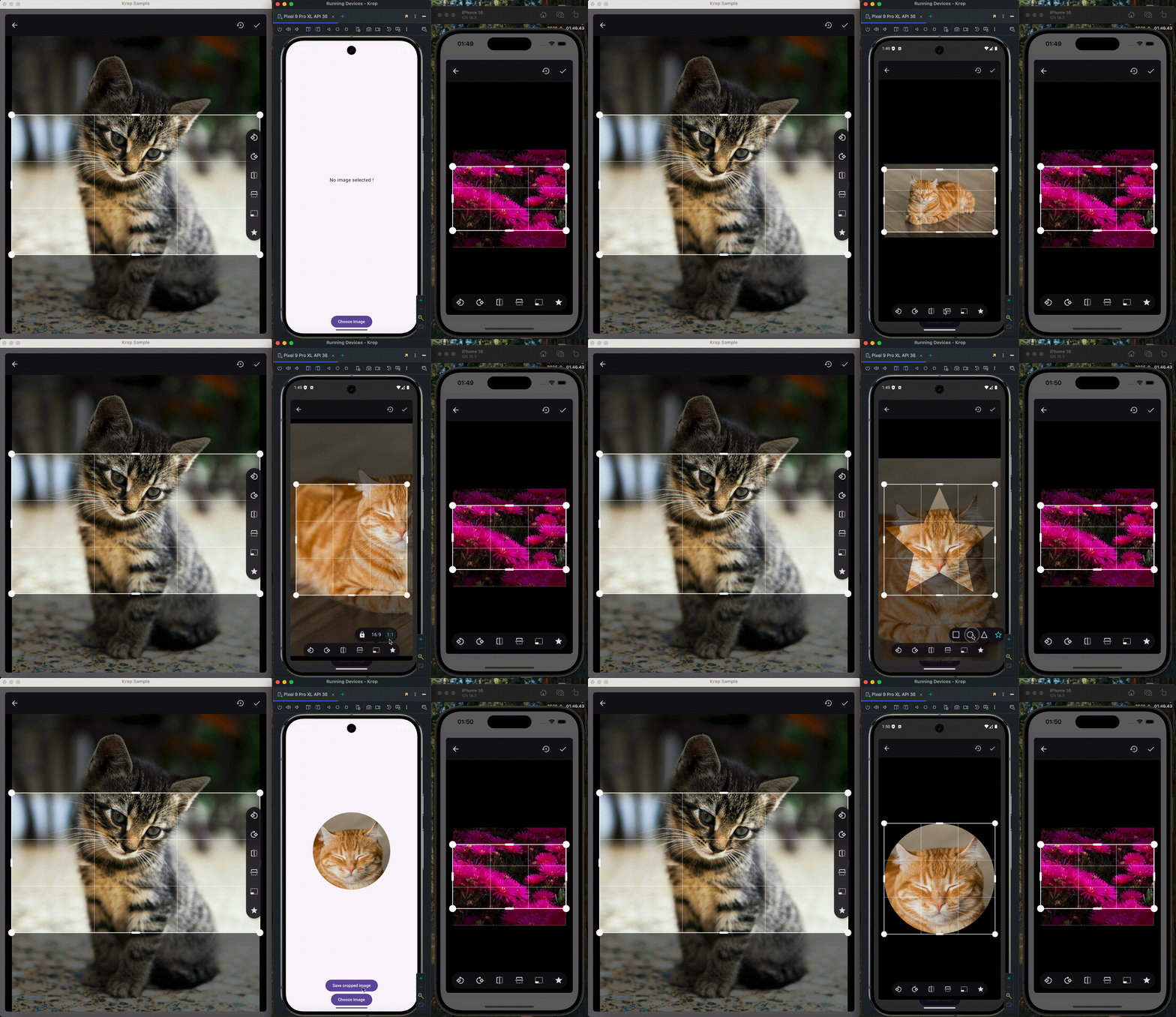
**Krop** is a powerful image cropping library designed specifically for Compose Multiplatform. It provides a rich set of features including:
* **Custom shapes** - Crop images to various shapes (rectangle, circle, custom paths)
* **Aspect ratios** - Lock or freely adjust crop aspect ratios
* **Transformations** - Pan, zoom, and rotate images
* **Large image support** - Efficiently handle high-resolution images
* **Auto zoom** - Smart zooming to fit the crop area
## Platforms
Krop supports Android, iOS, macOS, JVM, JS, and WASM targets.
## FileKit Integration
Krop provides an official FileKit extension module (`com.attafitamim.krop:extensions-filekit`) that enables seamless integration between the two libraries:
* **`PlatformFile.toImageSrc()`** - Converts a FileKit `PlatformFile` to Krop's `ImageSrc` for cropping
* Pick images with FileKit, crop them with Krop, and save the results back using FileKit
For setup instructions and usage examples, visit the [Krop documentation](https://github.com/tamimattafi/krop).
View setup instructions and usage examples on GitHub
**Krop** is a powerful image cropping library designed specifically for Compose Multiplatform. It provides a rich set of features including:
* **Custom shapes** - Crop images to various shapes (rectangle, circle, custom paths)
* **Aspect ratios** - Lock or freely adjust crop aspect ratios
* **Transformations** - Pan, zoom, and rotate images
* **Large image support** - Efficiently handle high-resolution images
* **Auto zoom** - Smart zooming to fit the crop area
## Platforms
Krop supports Android, iOS, macOS, JVM, JS, and WASM targets.
## FileKit Integration
Krop provides an official FileKit extension module (`com.attafitamim.krop:extensions-filekit`) that enables seamless integration between the two libraries:
* **`PlatformFile.toImageSrc()`** - Converts a FileKit `PlatformFile` to Krop's `ImageSrc` for cropping
* Pick images with FileKit, crop them with Krop, and save the results back using FileKit
For setup instructions and usage examples, visit the [Krop documentation](https://github.com/tamimattafi/krop).